Overview Link to section: Overview
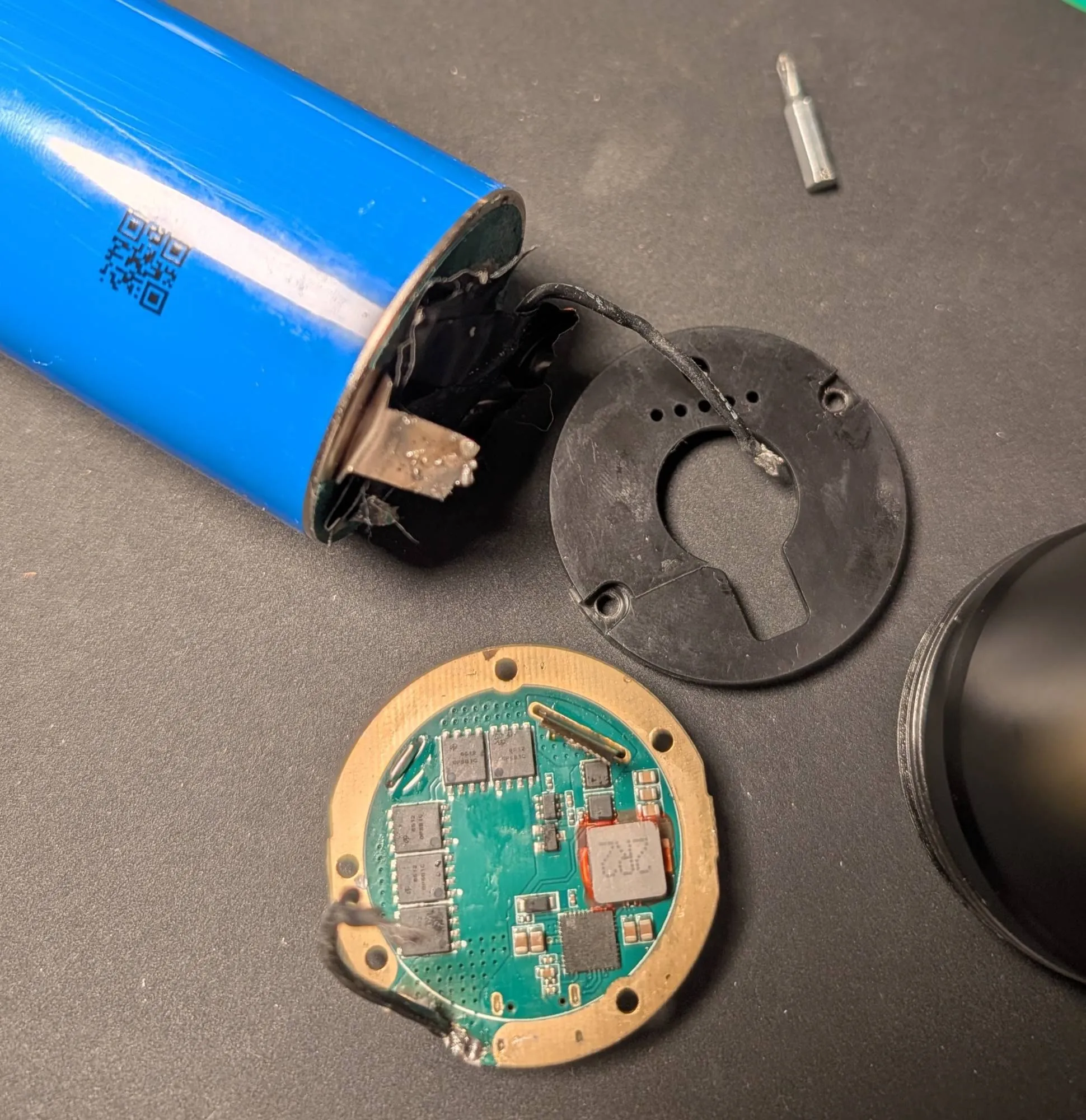
The Wurkkos DL46 is a flashlight with a built-in Li-ion (lithium-ion) battery that isn’t meant to come out. I bought one on eBay sold as-is because someone had ripped the battery out of it. Its leads had been pulled off the cell, leaving the battery loose from the driver board, the circuit board that controls power to the light.
I got it working again by opening the front end, putting the cell back in the body, and resoldering the board’s leads onto the cell tabs (the metal connection strips on the battery). Here’s how I did it, step by step.
Tools and parts I used Link to section: Tools and parts I used
- A small Phillips screwdriver
- A soldering iron and solder
- The flashlight’s rubber O-ring (a ring-shaped rubber piece), which sits on top of the battery
Step 1: Peel off the front sticker Link to section: Step 1: Peel off the front sticker
The front end, which faces the same way as the light, is covered by a plain black sticker. I peeled it off to find two screws holding a black plastic cover over the board.
The cover has holes for the five charge-indicator LEDs (light-emitting diodes), a small opening for the button, and a keyhole opening for the gold contact.
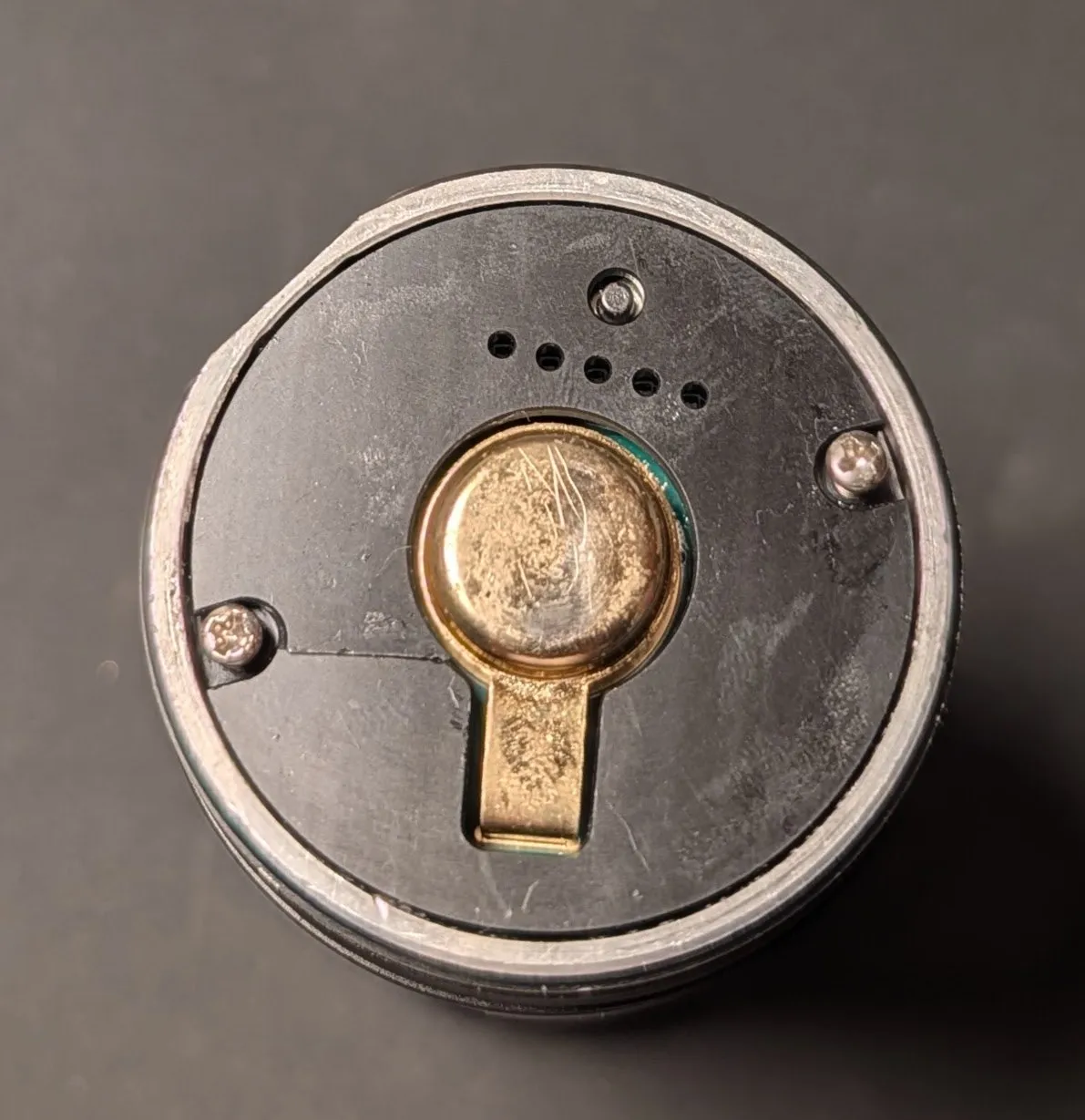 With the sticker peeled off, two screws hold the black plastic cover over the front end.
Step 2: Remove the plastic cover Link to section: Step 2: Remove the plastic cover
I took out the two screws and lifted off the cover. Underneath is the circuit board, marked DL46_C-B0, with the USB-C port, the button, and the indicator LEDs.
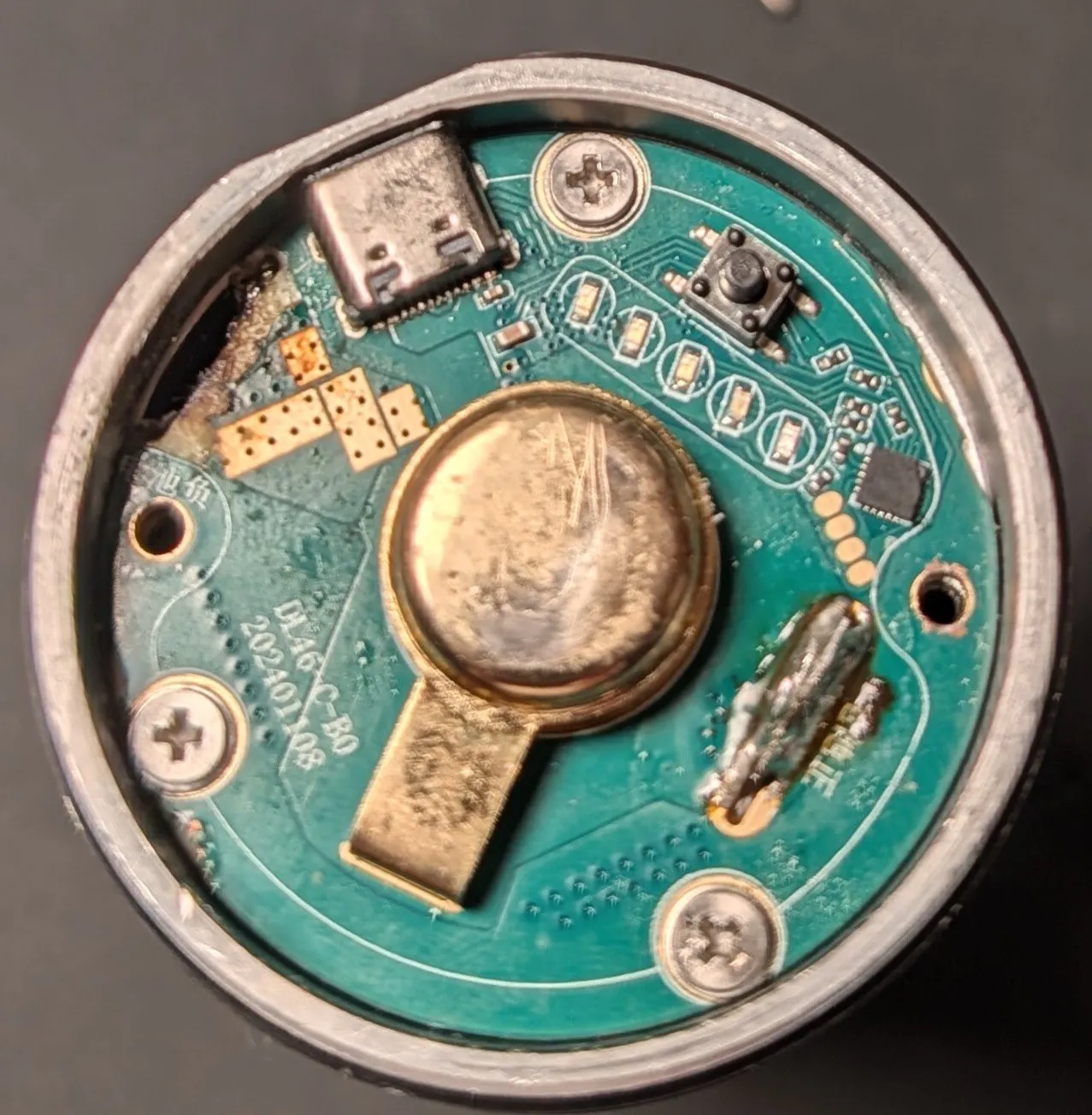 Under the cover, the board with the USB-C port, button, and charge LEDs, held in by three more screws.
Step 3: Unscrew the board Link to section: Step 3: Unscrew the board
Three more screws hold the board to the rim inside the body. With those out, I lifted the board free on its battery leads. Its underside has MOSFETs (electronic switching transistors) and an inductor (a component that stores energy in a magnetic field).
Step 4: Put the cell back and resolder the leads Link to section: Step 4: Put the cell back and resolder the leads
I slid the battery back into the body, then soldered the board’s two leads back onto the cell tabs.
I checked polarity (which connection is positive and which is negative) before soldering. Reversing the leads on a driver board like this can damage it:
- Positive: the metal tab on the battery board.
- Negative: the wire coming off the edge of the battery board.
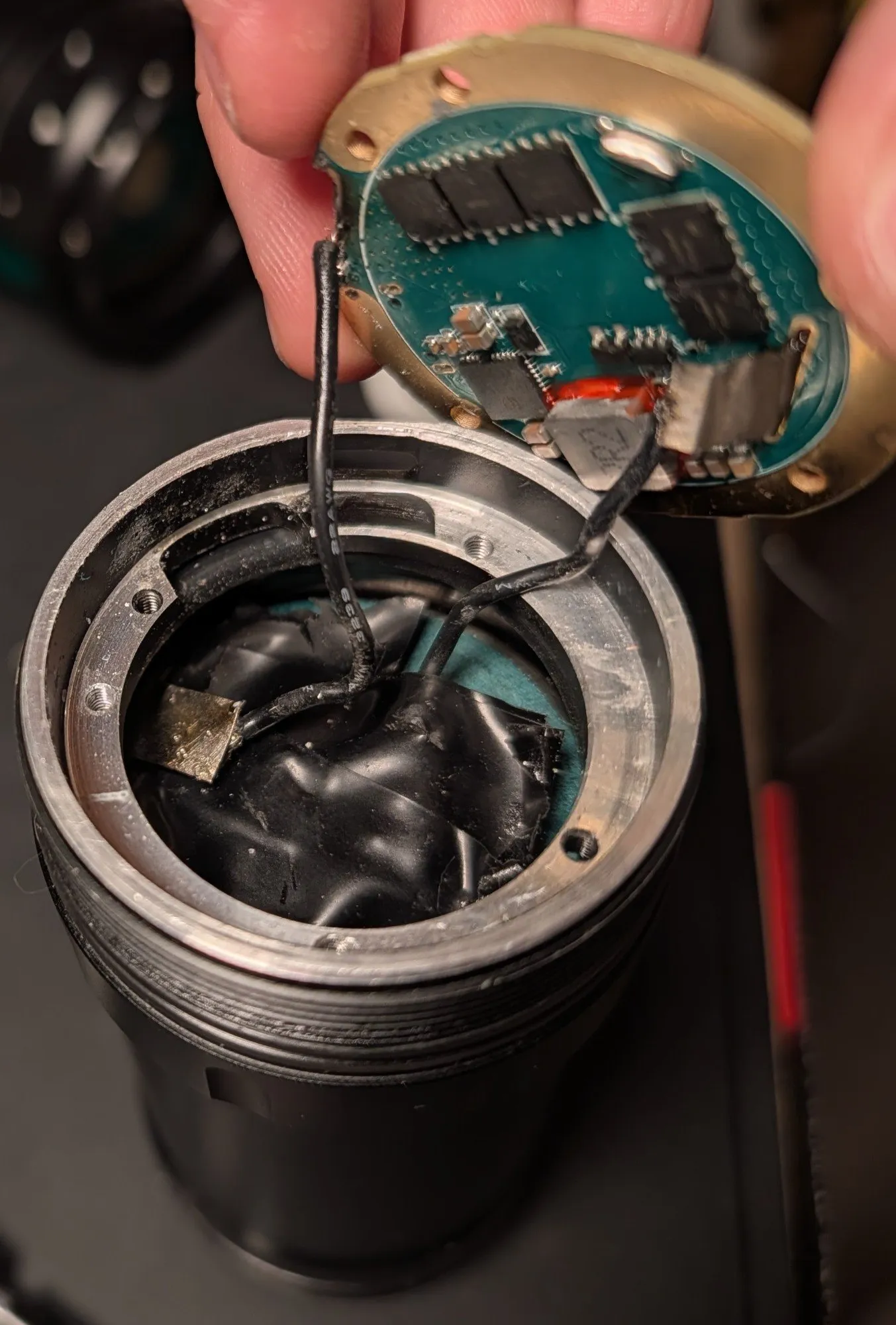 The cell back in the tube, with the board’s leads going back onto the battery tabs.
Step 5: Seat the O-ring Link to section: Step 5: Seat the O-ring
This is the step I found easy to miss. The thick rubber O-ring goes between the battery and the rim the board screws into, and it keeps the cell from moving around inside the body.
Without it, the battery can shift and pull on the new solder joints.
Step 6: Close it up Link to section: Step 6: Close it up
I screwed the board back onto the rim and put the plastic cover back on with its two screws. The light is fixed and working again.