Problem Link to section: Problem
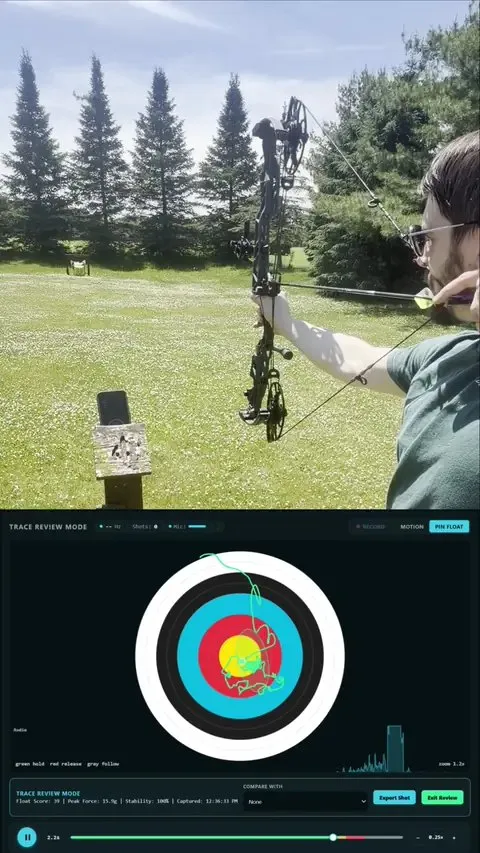
The target shows where an arrow landed. I wanted to see what the bow did on the way there. OpenFloat records motion before, during, and after release with a small bow-mounted sensor, then turns each shot into a trace I can replay and compare in a browser.
Try it without hardware Link to section: Try it without hardware
Open the dashboard and select a recorded demo shot. The live demo can also generate synthetic motion.
With the sensor connected, the same interface captures real shots and keeps them with a practice session. Float Score describes movement of the bow; it does not measure where the arrow hit.
Constraints Link to section: Constraints
I need the trace to describe bow movement without implying that it measures arrow impact. The sensor also needs to preserve shots when the browser disconnects, and the browser connection depends on Web Bluetooth support and permission.
Hardware and firmware Link to section: Hardware and firmware
The sensor uses a Seeed XIAO nRF54L15 Sense running firmware (the software on the sensor) built with Zephyr, an embedded operating system, and the nRF Connect SDK (NCS), Nordic’s development toolkit.
Its LSM6DS3TR-C motion sensor is read through an interrupt-driven FIFO: a first-in, first-out buffer that holds readings in order and signals when they are ready. The firmware samples at 3,332 Hz (readings per second) and averages those readings into a roughly 1,110 Hz Bluetooth stream.
The firmware estimates orientation with a Madgwick filter, which combines motion readings to estimate the bow’s angle. Live data frames carry acceleration, orientation, and a microphone-envelope measurement, a measure of sound level over time.
Shot detection looks for a sudden motion above an impulse threshold, checked against recoil (the bow’s kick at release), then captures the motion around the release.
The sensor keeps a lifetime shot count and the newest 100 shot records in nonvolatile memory, which keeps data when power is off. Buffered traces can be replayed when the browser reconnects.
Shot review and training Link to section: Shot review and training
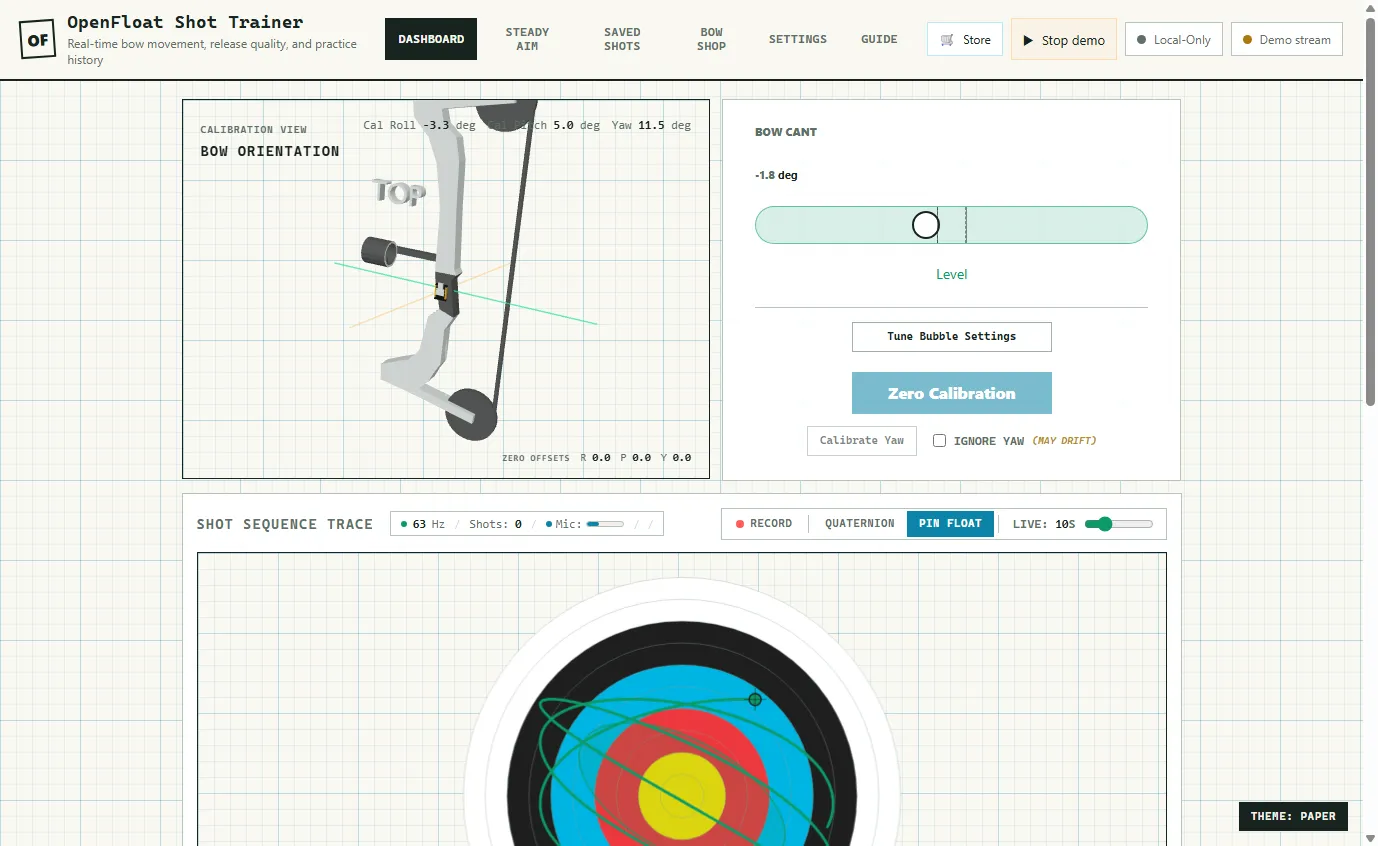
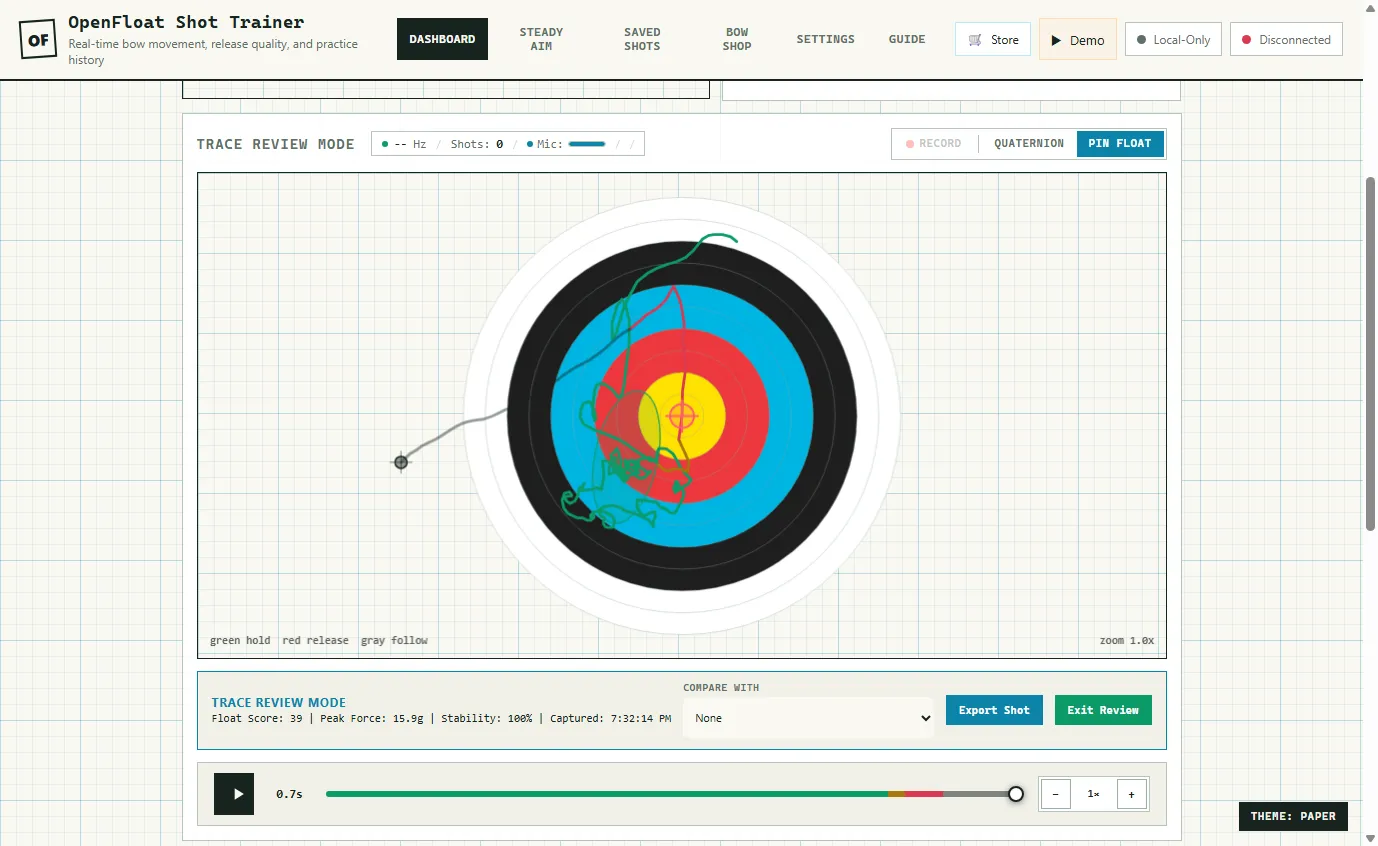
The browser uses the sensor’s orientation estimate to drive a bubble level and a 3D bow view. Shot review separates hold, release, and follow-through with different colors.
- Replay: scrub through the motion leading into and following release.
- Comparison: inspect several traces together to look for repeatable movement.
- Float Score: summarize the trace with the project’s own 0–100 scoring system.
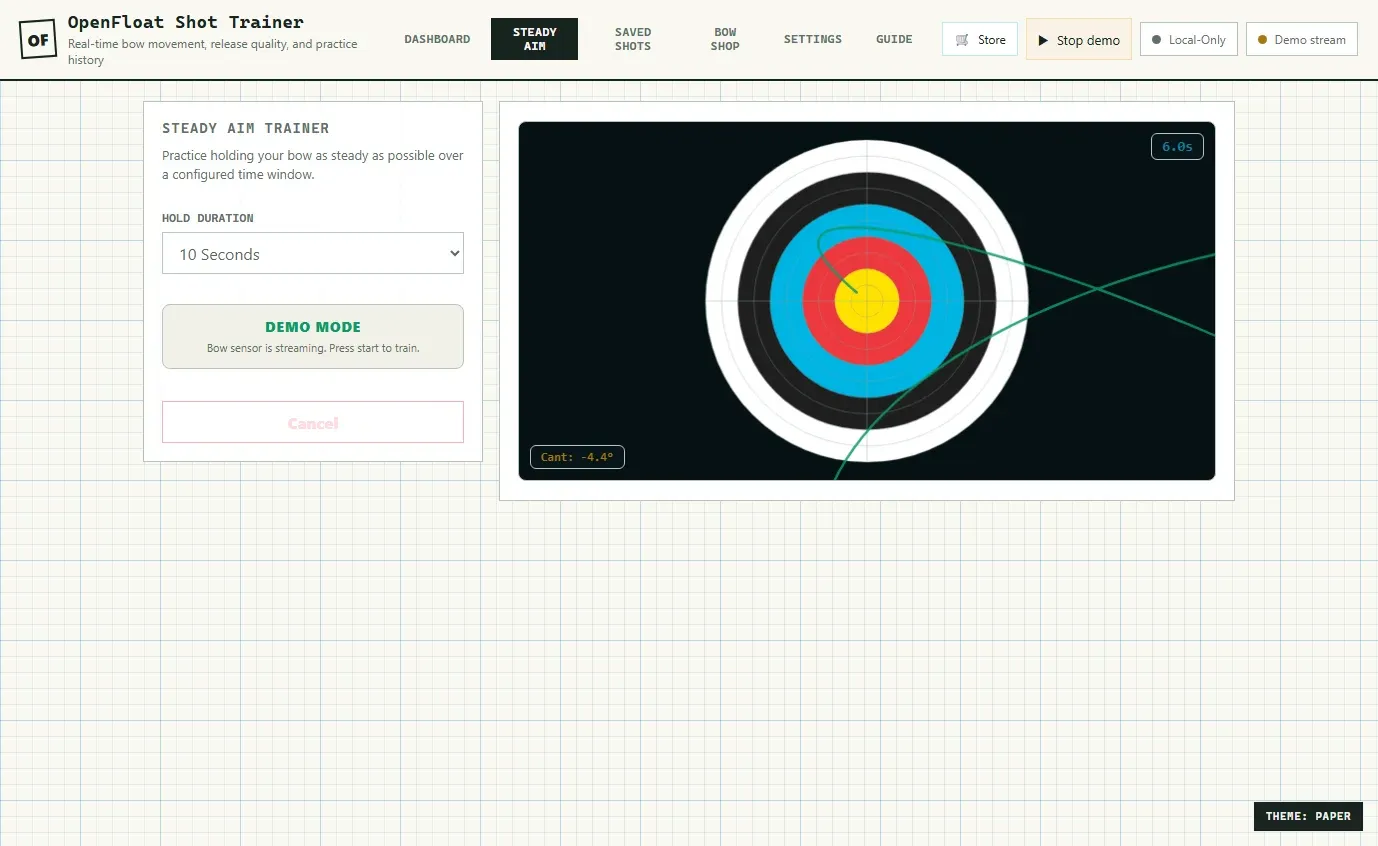
- Steady Aim: practice a hold with a live trace, countdown, and cant readout showing sideways bow tilt.
- Sessions: group shots into practice records and revisit them later.
Float Score summarizes bow movement. Arrow impact still needs to be checked at the target.
Browser connection and storage Link to section: Browser connection and storage
Web Bluetooth needs a supported browser, a secure context (such as an HTTPS page), and a user action to start device selection. A connect button gives that permission request an explicit place in the workflow. Browser and operating-system support should be checked against the Web Bluetooth compatibility notes.
Receiving a shot and saving it are separate steps. OpenFloat acknowledges buffered shots (confirms receipt to the sensor) after the browser has saved them locally. Reconnection can then recover records that were captured while the browser was unavailable.
Keeping and backing up shots Link to section: Keeping and backing up shots
The app uses IndexedDB, storage inside the browser, and can operate offline after loading as a progressive web app (a website that can work like an installed app). Backup and restore are available for local data. Keeping a session in one browser does not automatically back it up to another device; optional self-hosted sync is separate from the local workflow.
Getting started Link to section: Getting started
- Open the hosted dashboard and review a demo capture.
- Use the repository’s Quick Start for the supported sensor, firmware release, mounting, and first calibration.
- Connect from the dashboard in a compatible browser.
- Confirm the live orientation responds before recording a session.
- Save a backup when the session is worth keeping.
The browser app uses native JavaScript modules, separate code files loaded directly by the browser. The repository also includes firmware build instructions, Bluetooth Low Energy (BLE) command documentation, host-side validation tools, and mechanical assets.
Build files and reference Link to section: Build files and reference
The OpenFloat repository has the hardware setup, firmware builds, BLE command reference, and mechanical files. OpenFloat is an experimental project; the feature-status list tracks what is implemented and what is still in progress.
Implementation figures and current limits Link to section: Implementation figures and current limits
The implementation figures documented above are 3,332 Hz sensor sampling, a roughly 1,110 Hz BLE stream, and storage for the newest 100 shot records. These describe the data pipeline and storage capacity; they do not establish end-to-end latency, battery runtime, or the number of field shots recorded.
What’s next Link to section: What’s next
I want the next update to connect a real practice session to the trace and explain what I changed afterward. I’m keeping the field-testing story as a draft until I can supply that account.
FAQ
What does OpenFloat Archery measure?
It records how the bow moves before, during, and after release with a small bow-mounted sensor, then replays each shot as a trace in a browser. It tracks bow movement, not where the arrow lands.
What hardware does OpenFloat use?
A Seeed XIAO nRF54L15 Sense with an LSM6DS3TR-C motion sensor, running Zephyr firmware built with the nRF Connect SDK. The firmware samples at 3,332 Hz and averages the readings into a roughly 1,110 Hz Bluetooth Low Energy stream.
Can I try OpenFloat without the sensor?
Yes. The hosted dashboard at openfloatarchery.com includes recorded demo shots, and the live demo can generate synthetic motion.
Which browsers can connect to the sensor?
The dashboard connects over Web Bluetooth, which needs a supported browser, a secure context such as an HTTPS page, and a user action to start device selection. Check MDN's Web Bluetooth compatibility notes for browser and operating-system support.
Where are recorded shots stored?
In the browser's IndexedDB storage, with backup and restore for local data and optional self-hosted sync. The sensor also keeps the newest 100 shot records in nonvolatile memory so they can be recovered when the browser reconnects.
Build photos