Overview Link to section: Overview
I built KICKR CORE 2 Hub to turn indoor cycling into an interactive riding cockpit.
It combines an interface for a smart trainer (an indoor cycling trainer that reports ride data and accepts control commands), virtual gears, a Three.js 3D world, and saved game progression in one browser user interface.
The project spans both sides of the connection: a Node.js bridge (a local connection service) for communicating with a Wahoo trainer over the local network, and a React interface for riding, reviewing sessions, and experimenting with different setups.
The public demo includes a simulator that runs without trainer hardware.
Riding interface Link to section: Riding interface
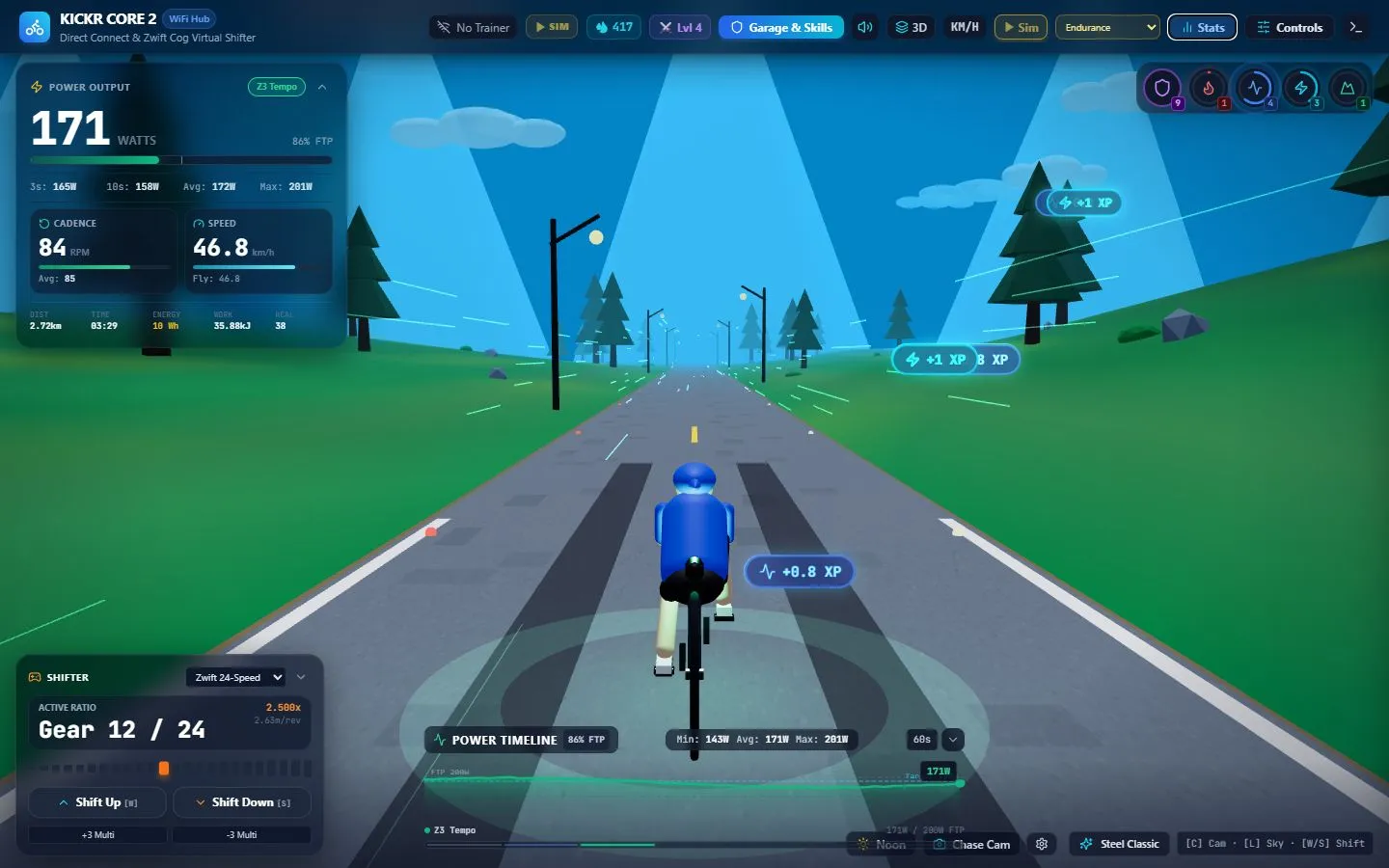
The main view puts power, cadence (pedaling rate), speed, distance, and accumulated work (energy over the ride) around a moving 3D scene. Short power averages and a scrolling timeline make changes in effort visible without opening another panel.
The riding world Link to section: The riding world
Pedaling animation follows cadence, while the landscape, visual effects, and speed streaks respond to the ride. The world includes rolling terrain, pine trees, mountain ridges, and streetlights.
- Camera views: chase, first-person, drone, and free-orbit.
- Lighting: dawn, daytime, sunset, and night change the atmosphere.
The aim is to make the workout readable while giving the rider something more engaging than a stationary dashboard.
Virtual shifting and trainer controls Link to section: Virtual shifting and trainer controls
Virtual gearing changes the simulated gear without a physical shift. It is designed for a single-cog trainer setup, with one rear sprocket. Presets include:
- A sequential 24-speed drivetrain, stepping through gears in order.
- Shimano 2×12 and SRAM AXS 2×12 setups, each with two front gears and twelve rear gears.
- A 1×12 gravel setup, with one front gear and twelve rear gears.
Riders can shift with the on-screen controls, keyboard, or a gamepad. Mechanical shift sounds provide another cue that a gear changed.
Trainer control modes Link to section: Trainer control modes
The trainer-control interface supports four modes:
- ERG (target-power mode): hold a target power.
- Simulation: configure grade (slope), wind, rolling resistance (drag from tire contact), and aerodynamic conditions (air drag).
- Resistance: set a resistance percentage directly.
- Level: select a progressive resistance level from 0–9.
Connecting to a trainer Link to section: Connecting to a trainer
The bridge discovers compatible trainers on the local network or accepts a direct IP connection using the trainer’s network address.
It performs service discovery (finding the trainer’s available services), subscribes to telemetry (live trainer readings), and waits for the trainer’s control acknowledgement (confirmation) before enabling control commands.
Progression and the garage Link to section: Progression and the garage
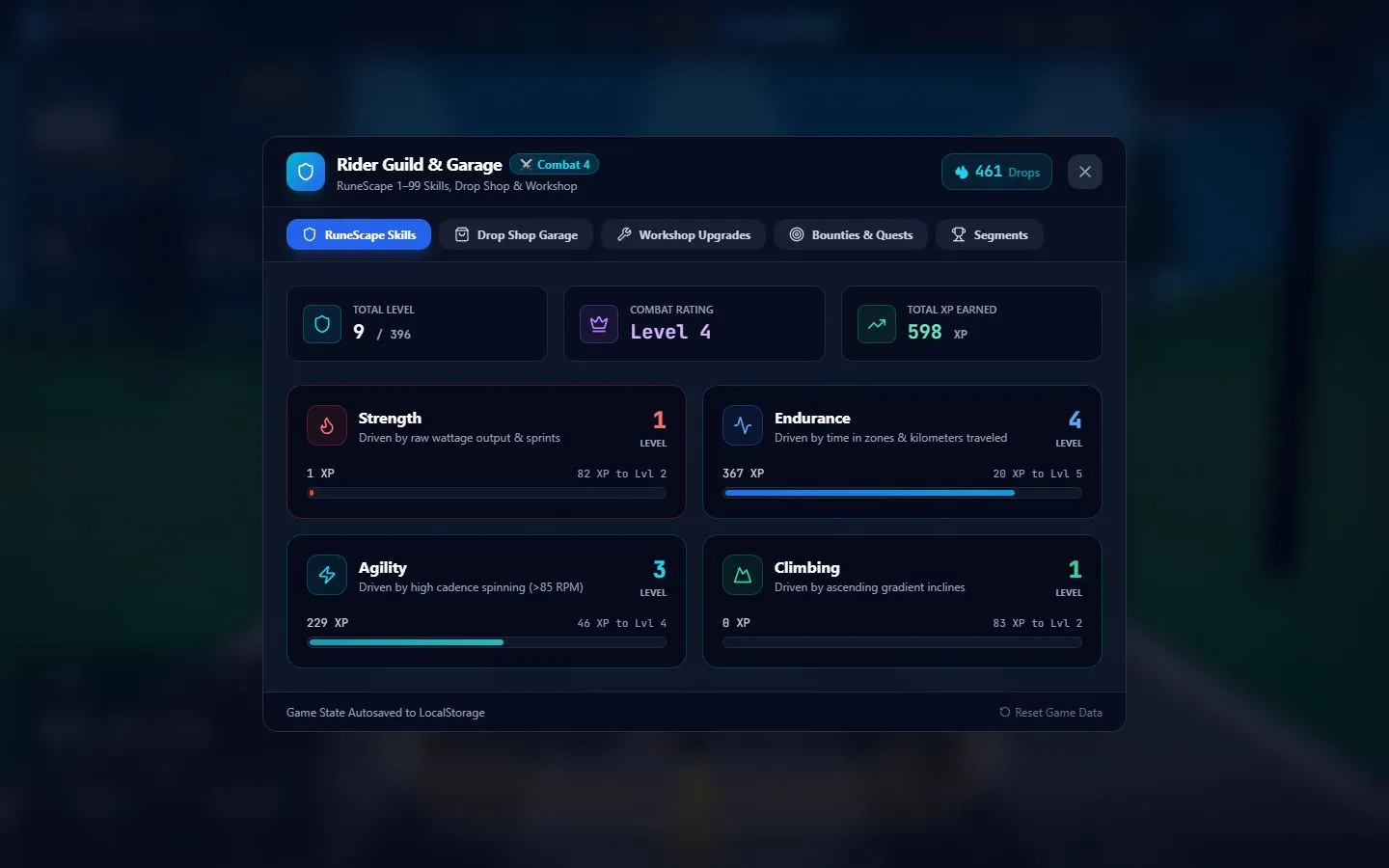
The game layer borrows the 1–99 skill structure of RuneScape. Strength, Endurance, Agility, and Climbing gain experience from different aspects of a ride, including power, time, cadence, and simulated gradient (slope).
Equipment and saved progress Link to section: Equipment and saved progress
Earned Drops, the game’s currency, fund equipment in the garage, including frames, wheels, jerseys, and headwear.
Workshop upgrades, bounties (ride objectives), segments (sections of a route), and temporary bonuses give sessions additional objectives. These levels describe progress inside the game.
Progress is saved in the browser so the rider can return to the same character and equipment.
Ride history and analytics Link to section: Ride history and analytics
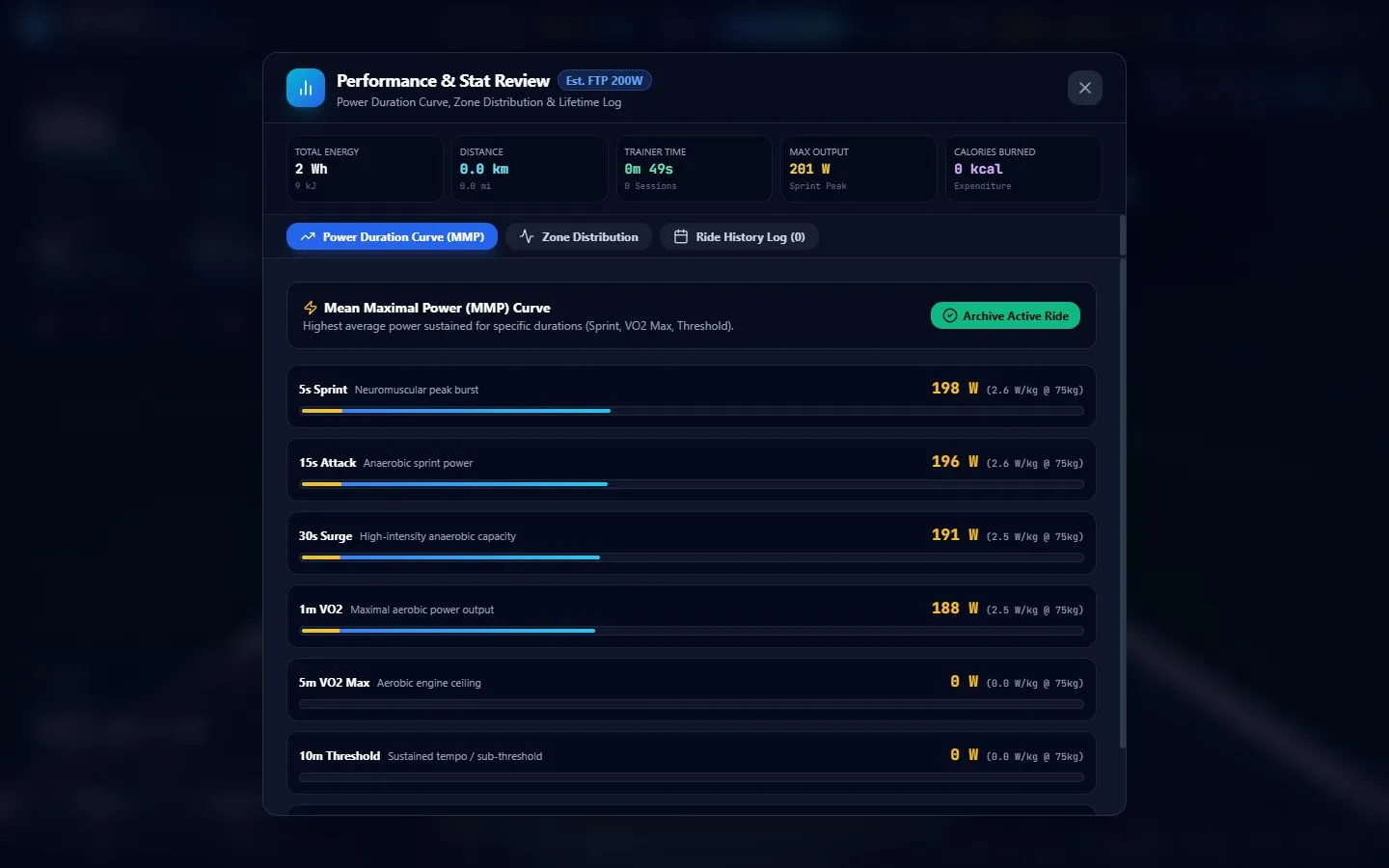
The Stats panel brings together a power-duration curve (power sustained over different lengths of time), time in power zones (effort ranges), and ride history.
Session summaries include duration, distance, average and peak power, and accumulated energy. The power-duration view compares efforts from five seconds through twenty minutes when enough data is available.
Storage and estimates Link to section: Storage and estimates
The app keeps up to 50 archived rides in local browser storage and maintains lifetime totals. Virtual speed, calories, and FTP-related calculations (based on functional threshold power, an estimate of sustained cycling power) are estimates. Storage is local to that browser, with no automatic cloud backup.
Trying the simulator Link to section: Trying the simulator
Open the demo and select Sim to generate a ride. Choose Recovery, Endurance, Intervals, Sprint, or Climb to change its pattern. The same data feeds the dashboard, 3D scene, skill progression, and stats panels.
Use Garage & Skills to inspect progression and Stats to review the session. Keyboard shortcuts include W/S for shifting, C for camera views, and L for lighting. Select Sim again to stop.
The screenshots on this page come from that simulator. They show synthetic telemetry, rather than recorded personal workout results.
Architecture and current state Link to section: Architecture and current state
How the pieces connect Link to section: How the pieces connect
React and TypeScript handle the interface, Three.js renders the riding world, and shared modules define gearing and telemetry.
A Node.js service handles trainer discovery and the Direct Connect protocol (the trainer’s network communication rules), then relays state to the browser over WebSocket, a connection that lets the service and browser exchange updates.
What runs in the public demo Link to section: What runs in the public demo
The public Cloudflare Pages deployment hosts the frontend (the browser interface) and simulator. Controlling a physical trainer requires the local bridge on the trainer’s network. The current release is an interactive prototype, with the simulator available for anyone to explore.
Related projects include my COLMI smart-ring firmware for Zwift and DIY electric bike, which explore other sides of cycling hardware and telemetry.
Build photos