What it does Link to section: What it does
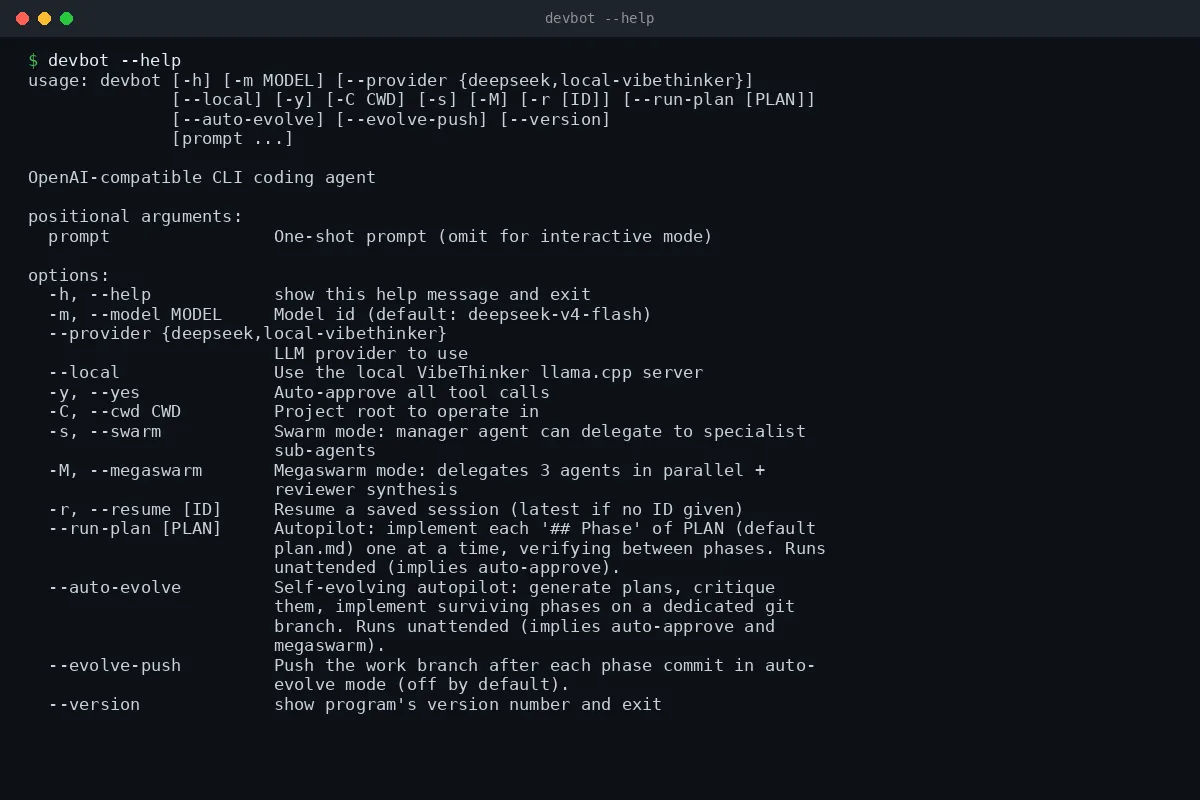
I built DevBot as a CLI (command-line interface) coding assistant. I can give it a single task, such as fixing a failing test, or keep an interactive conversation open in the terminal. It uses DeepSeek by default and can also connect to a local llama.cpp model server through an OpenAI-compatible API (an interface for exchanging requests with a model).
The model has tools to read files, search the project, replace text, write files, run shell commands, and detect and run a project’s test suite. It can also search the web through DuckDuckGo. Conversations save in the project’s .devbot directory and can be resumed or exported as Markdown (plain text with formatting).
How it works Link to section: How it works
DevBot runs an agentic loop (a cycle of model responses, tool calls, and tool results). The model requests an action, DevBot runs the tool, and the result goes back into the conversation. Streaming (showing output as it arrives) lets me follow the response in the terminal.
File tools check that resolved paths stay inside the project directory. This provides sandboxed edits (file changes restricted to that directory), rather than isolation of the entire process. Shell commands run from the project directory and use allow and block rules; commands outside those rules need approval. File writes, edits, and test-tool runs also prompt for approval in the normal interactive mode. Auto-approval and unattended modes change that behavior.
Swarm mode (a manager delegating work to specialist agents) adds coder, reviewer, tester, and researcher roles. Its pipeline tool sends a task through implementation, review, and fixes. Megaswarm mode can run specialists in parallel and combine their findings through a reviewer. These are model-driven workflows; a review result is not a guarantee that the code is correct.
Working through a plan Link to section: Working through a plan
With --run-plan, I can give DevBot a Markdown plan containing ## Phase sections. It works through those phases in order, runs the tests after each phase, and attempts a fix if tests fail. If that fix still fails, it stops and leaves the changes for review. This mode runs unattended with auto-approval and leaves its changes uncommitted.
The repository also implements --auto-evolve: a planner proposes phases, a critic filters them, and the driver implements and tests the accepted work. It requires a clean working tree, refuses to run on main or master, and commits passing phases on the work branch. Phase, time, and token limits can bound the run; pushing the branch is opt-in. The included plan.md describes the design, and the source and tests cover the driver and its stop conditions.
How it is built Link to section: How it is built
I built DevBot in Python with the OpenAI Python client for model requests and ddgs for web search. It tracks token usage (the units models use to measure text), estimates cost from configured model pricing, and can compress conversation context for longer sessions.
The test suite covers file-path checks, command rules, session persistence, provider selection, plan execution, and the auto-evolve controls. The GitHub Actions workflow is configured to run pytest (Python’s test runner) on Linux, Windows, and macOS with Python 3.10 through 3.13. That configuration describes the intended test matrix, not a claim about every run’s result.
Where to get it Link to section: Where to get it
The source repository includes setup instructions, command examples, configuration options, and tests. From a local checkout, install it with Python 3.10 or later:
pip install -e .
devbot "fix the failing test"
The default provider needs a DeepSeek API key. For a running local model server, use devbot --local and the connection settings in the README. The project action links to the source repository. DevBot is available under the MIT license.